Audiobooks
Audiobooks are a first-class kind in OrgZ, not music with a funny genre. They live in their own Audiobooks section, keep their own vocabulary (author, book, narrator), and remember where you stopped listening.
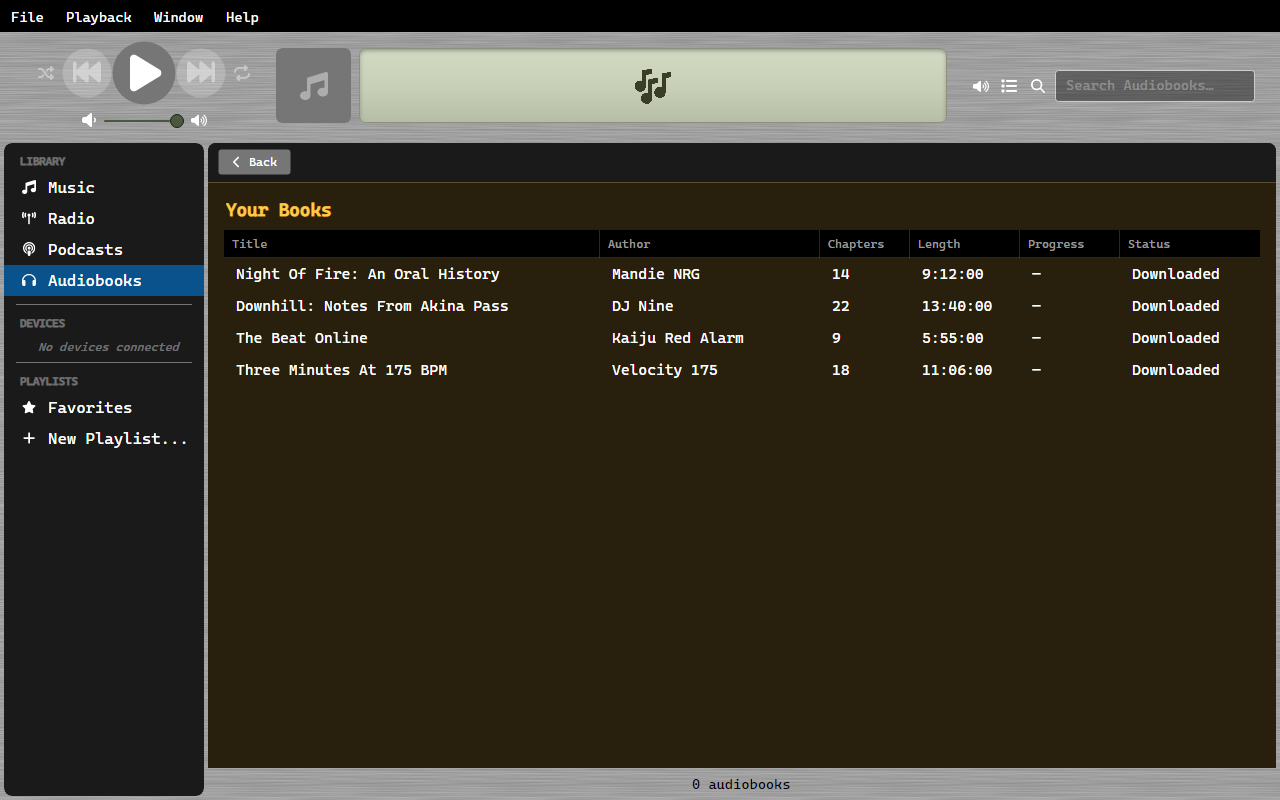
The Audiobooks section
Clicking Audiobooks in the sidebar opens the store over your own shelf:
- Your Books lists the books you already have; Show All opens the full grid. Clicking a book plays it - resuming where you left off - or downloads it first when its files are gone.
- Below that are the store sections: featured and popular titles, new arrivals, and a search box.
The grid underneath is an ordinary library view, so search, sorting, column
layout, and playback behave exactly as they do for music. Its columns are
Title, Author, Book, Narrator, Duration (with an hours
place), Year, and Rating; right-clicking a header adds Plays, Extension,
and Has Album Art. Author, book, and narrator are read from the artist, album,
and composer tags - the convention iTunes-tagged .m4b files already follow.
Where books come from
LibriVox (via archive.org) is the built-in store: public-domain, human-read recordings, free to download. Popular, new, and search all run against the LibriVox collection.
Libro.fm is the account store. Sign in with your Libro.fm email and password and your purchased library appears; downloads are your own DRM-free files. Buying stays on libro.fm - there is no purchase API - so the Register button just opens the site.
Your own files work too. Anything you drop into the .audiobooks folder
inside your music library is an audiobook by location, tags or no tags. That
folder is the import gesture.
What counts as an audiobook
OrgZ decides in two passes:
- By extension or location -
.m4bis the audiobook container, and anything under.audiobooksis a book regardless of what it is called. - By tags - the iTunes MP4 media-type atom that means "Audiobook", or an explicit audiobook genre. A plain MP3 rip carries no container signal, so a genre tag is its only automatic route.
Downloads
Store downloads land in .audiobooks/{Author}/{Title}/ inside your library
folder: the chaptered .m4b parts when the item has them, otherwise the MP3
chapter set. Files stream to a .partial name and are renamed only when
complete, so an interrupted download never gets scanned in half-written.
Acquiring a book from a store leaves a durable record. Deleting the files afterwards downgrades the book to acquired, not downloaded and it can be re-downloaded from the shelf. A file you provided yourself has nothing to re-fetch, so deleting it forgets it entirely.
Remove on a book's shelf entry deletes its files from disk and forgets the record - it confirms first, and it cannot be undone.
Resuming
Position is saved every few seconds while you listen, per file. A book resumes at the furthest chapter you were partway through, seeking back into it; failing that, the chapter after the last one you finished. A book you finished starts over.
On a device
Audiobooks sync to iPods that have somewhere to put them - the Nano 5G's SQLite database, the binary iTunesDB's audiobook media type, and Rockbox players (where they are simply files). They arrive under the device's own Audiobooks node rather than mixing into its music. See Playlists & syncing.
There is no Burn to CD on a book's right-click menu; a multi-hour book has no audio-CD story.